The problem
The day is scattered, so you keep checking.
None of it is hard on its own. It is spread across enough places that keeping track of it becomes its own small job.
Right now
- Mail in one tab, the calendar in another, coursework in a third
- The thing you forgot was never on the screen you were looking at
- A full sweep takes ten minutes, and you do it five times a day
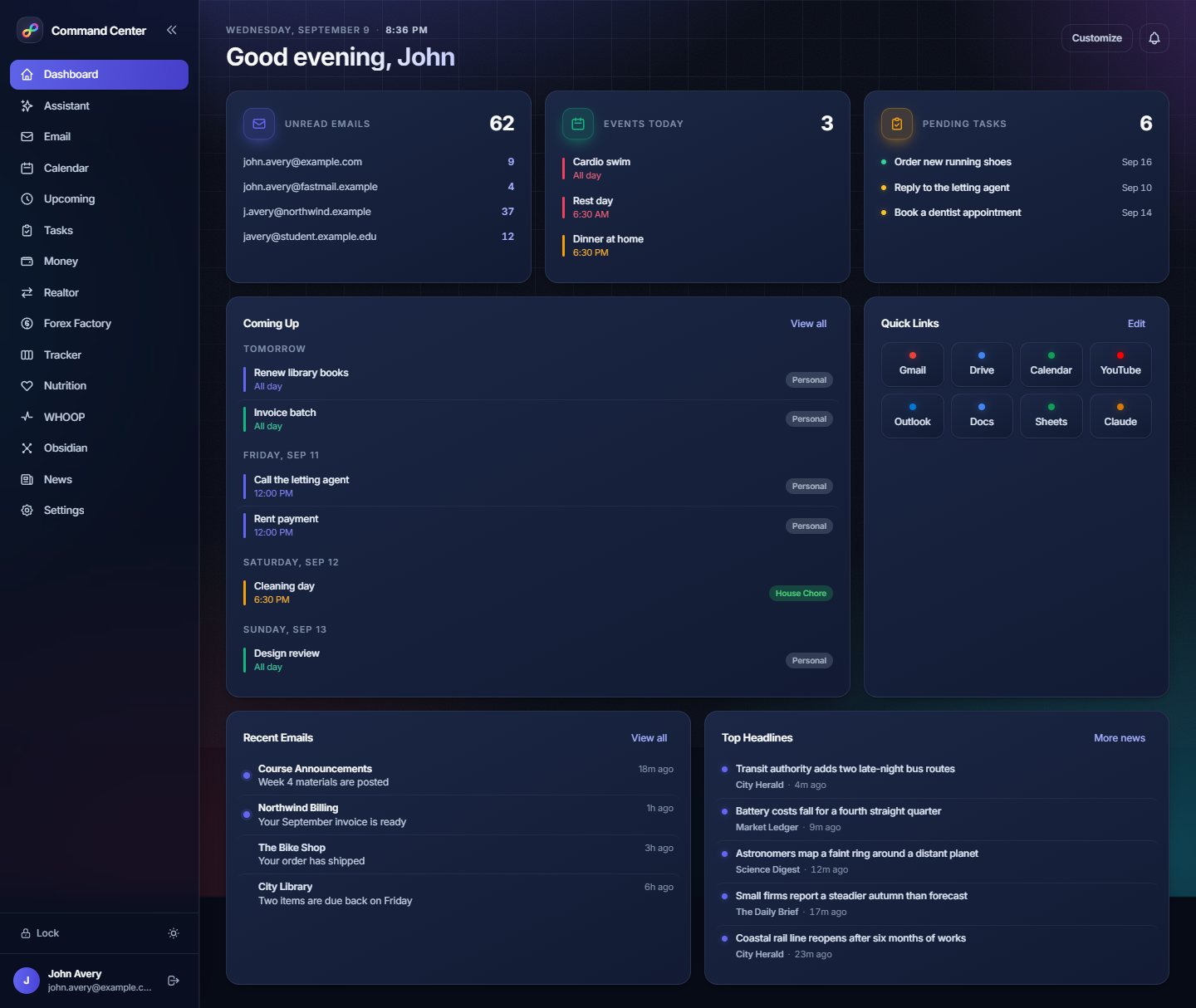
Command Center puts it back in one place
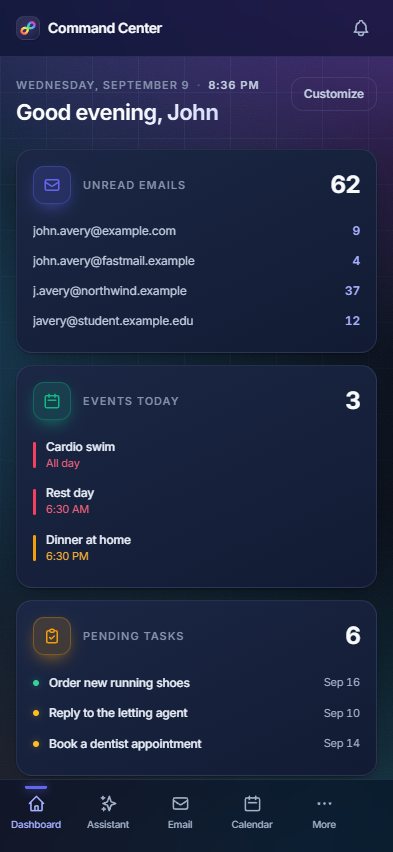
- One screen that answers what is happening and what is late
- Every date you own, from every source, in a single column
- One login, the same on the laptop and the phone
How it works
Built around your day, not around a feature list.
See the whole day before it starts
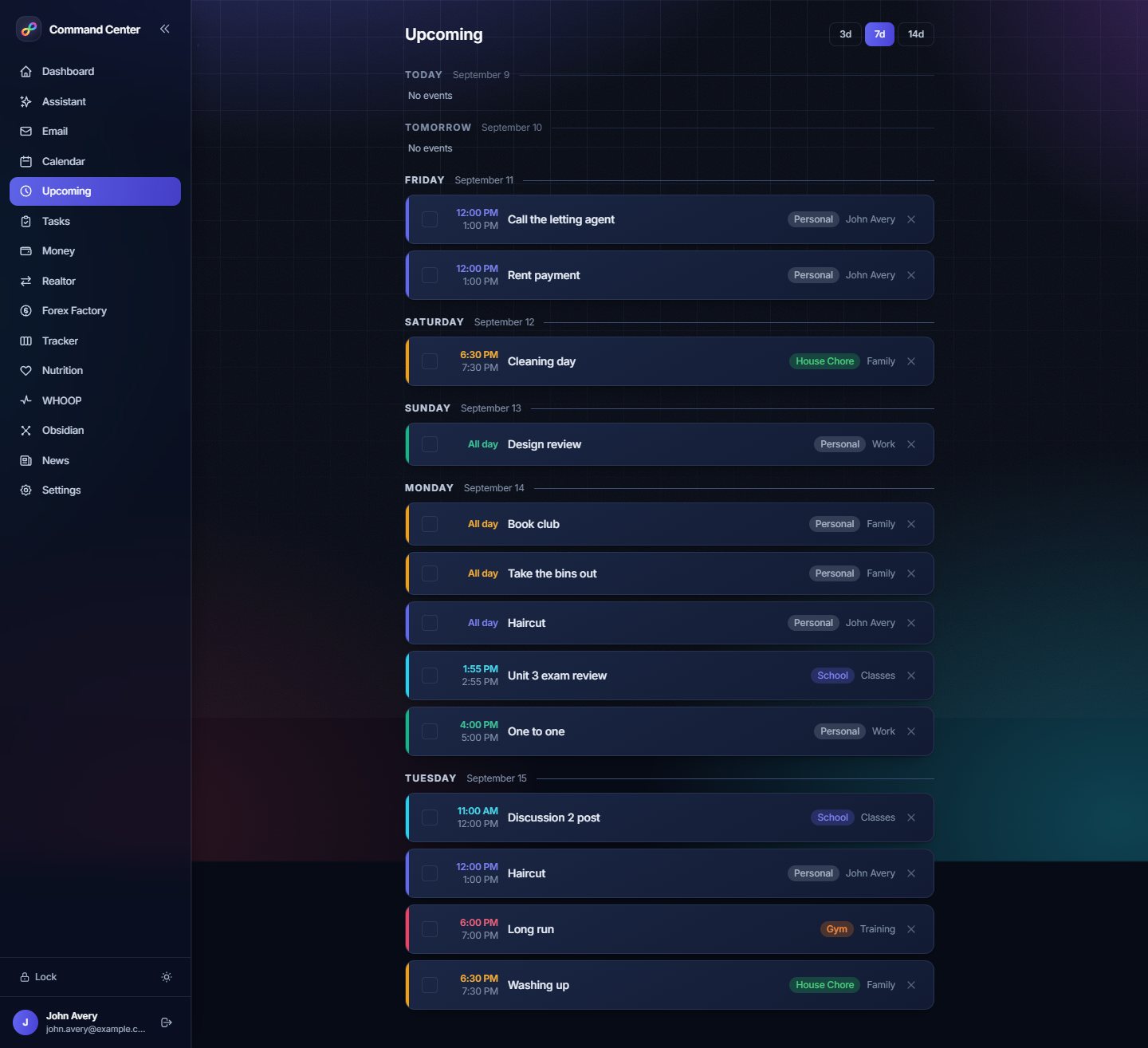
Upcoming merges Google Calendar, Google Tasks, local reminders and every course deadline into one chronological list, grouped by day and tagged by where it came from.
- Tagged by type: school, personal, gym, chores, real estate
- Tick something off here and it clears everywhere else
- Three, seven or fourteen days ahead, so the list stays a list
Work through it without leaving the tab
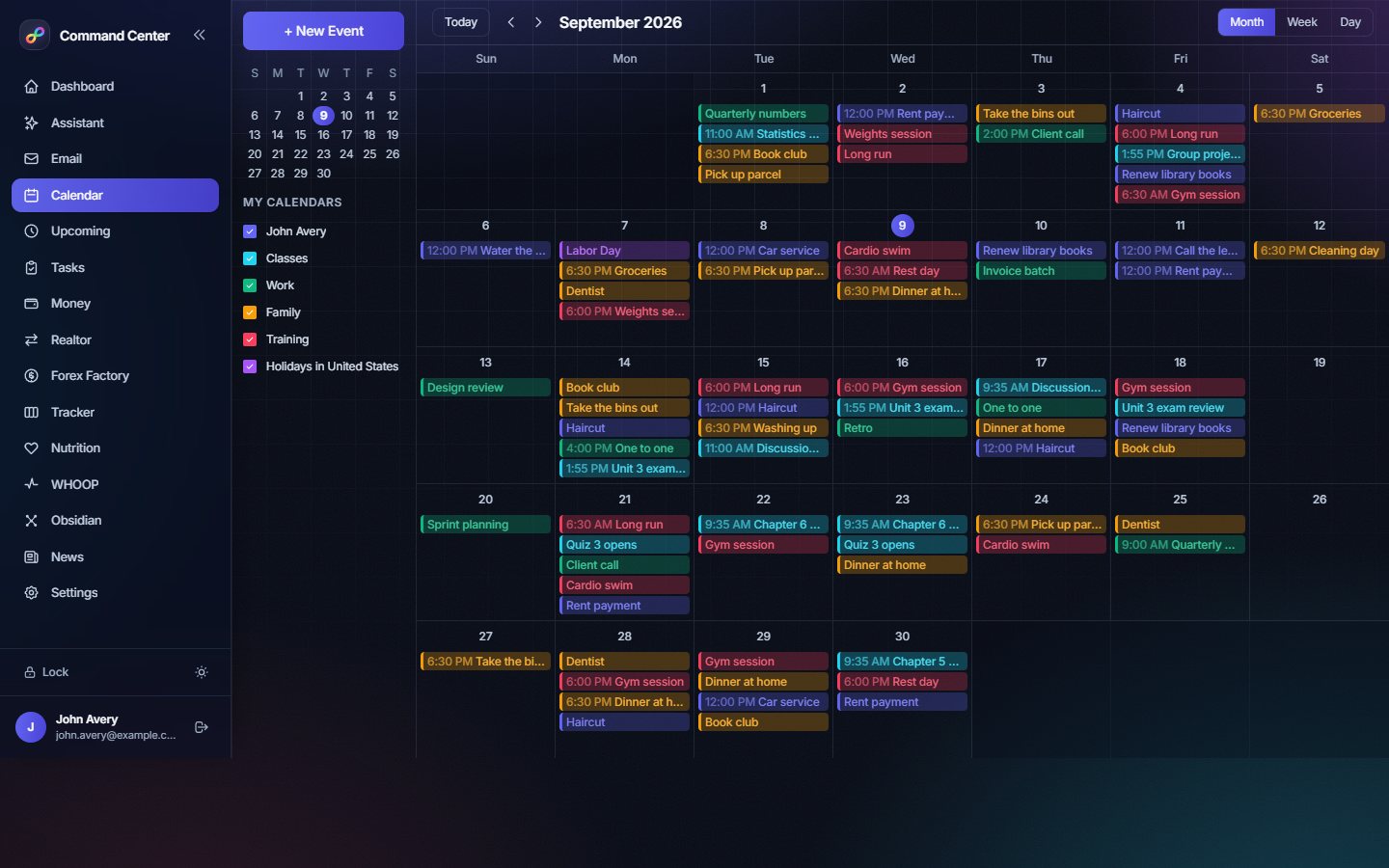
The month grid pulls every calendar you have subscribed to into one view, two ways, with Google Tasks folded into the same day. Tick a calendar off and the noise goes with it.
- Create and edit events without opening Google
- Month, week and day views, one click apart
Skim what is going on, then get out
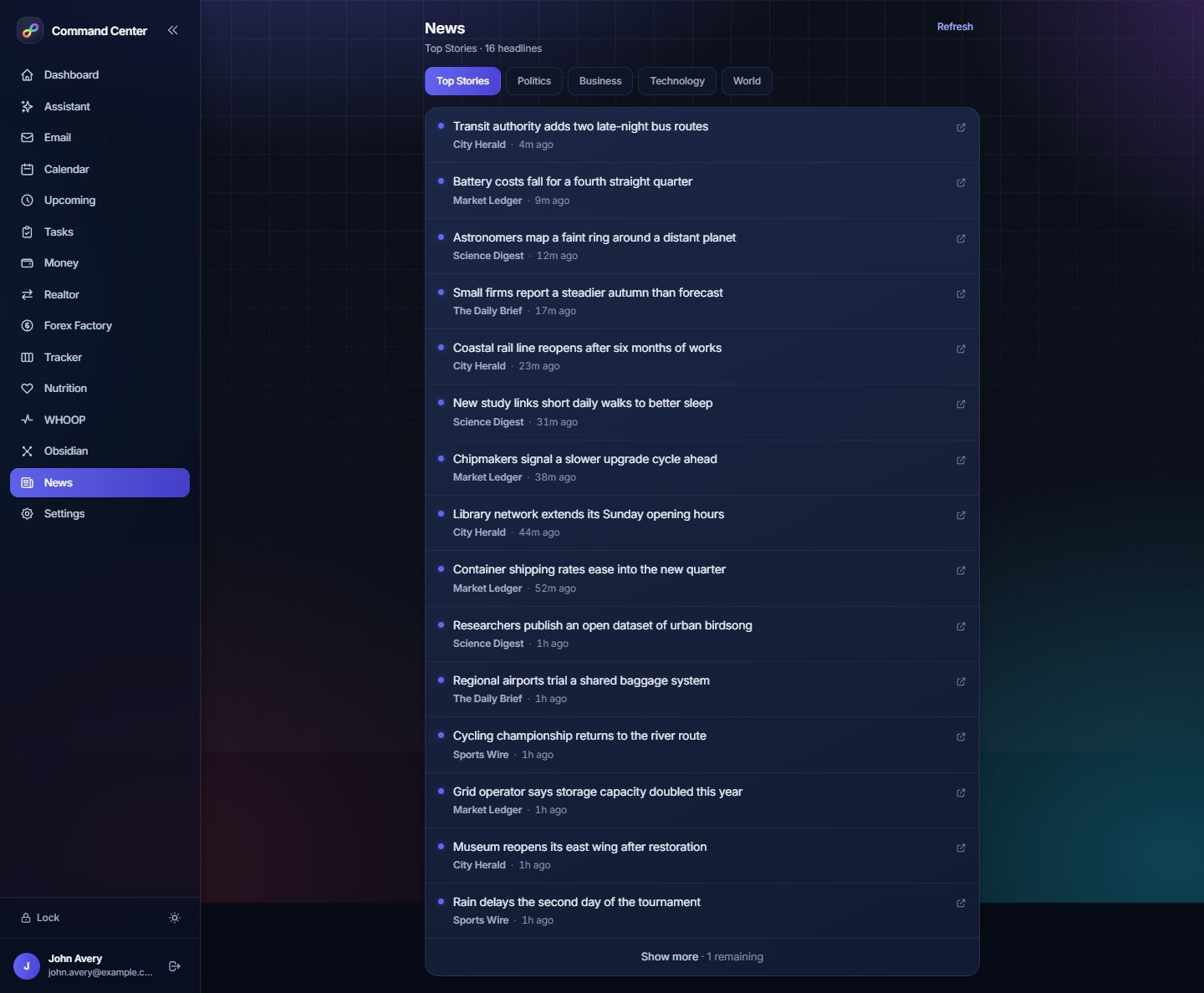
Headlines split into Top Stories, Politics, Business, Technology and World, each a single line with its source and how old it is. Read the list, open the two that matter, close the tab.
- Sorted on a real timestamp, so the top is genuinely newest
- The Forex Factory economic calendar works the same way
Integrations
It reads the accounts you already have.
Command Center signs in on your behalf and renders the result. Nothing is copied into another silo, and nothing needs re-entering.
One agenda from every source
- Google Calendar
- Google Tasks
- Course ICS feeds
Every inbox in one list
- Any IMAP mailbox
- SMTP for sending
- Unread counts per account
The numbers you train on
- WHOOP
- Water, from an NFC tag on the bottle
- MyFitnessPal food diary
Work, notes and the markets
- Obsidian vault
- Forex Factory
- Spotify
Make it yours
Seven palettes, your own colour, and a dashboard you arrange
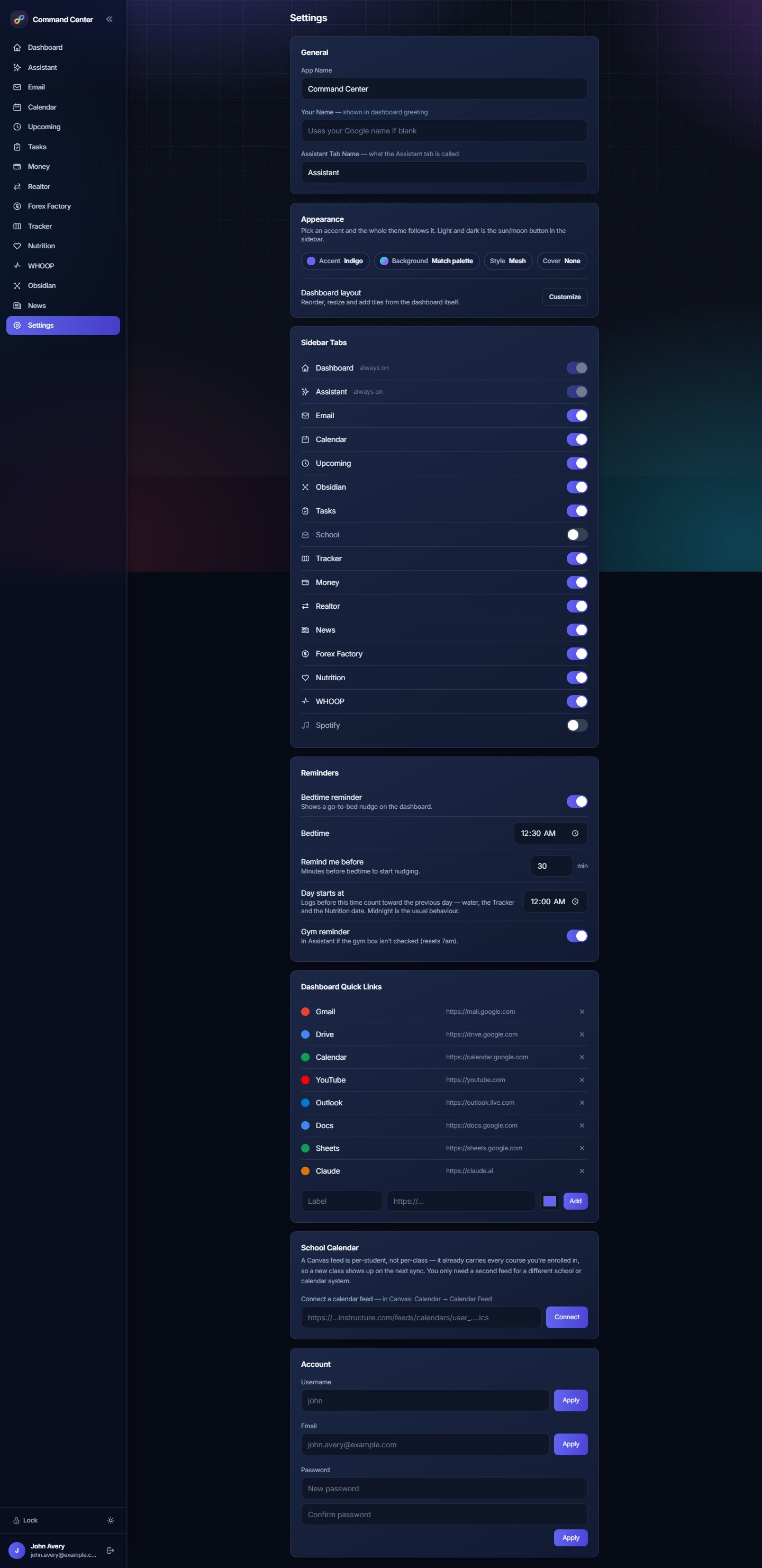
The dashboard is a tile registry rather than a fixed layout. Drag the tiles into the order you actually read them, size each one, and drop the rest. Pick a preset accent or set your own, and the whole theme follows it.
Everything else
Seventeen modules. Turn off the ones you do not want.
Switch one off in Settings and it leaves the sidebar and the dashboard with it.
- Dashboard The three numbers that decide your morning
- Upcoming Everything with a date, in one column, up to two weeks out
- Email Every inbox you own, unread counts per account
- Calendar Google two-way, Tasks folded in
- Tasks Local reminders and Google Tasks in one list
- School Course calendars parsed straight from ICS
- Realtor Deal pipelines, checklists and documents
- Money What came in, what went out, by month
- Tracker A daily ledger for the habits you measure
- WHOOP Recovery, strain and sleep
- Nutrition Food and water, on a day that starts when you say
- Obsidian A read-only graph of your vault
- Assistant A rule-based briefing. No API keys, no model calls
- News Headlines, read and dismissed in seconds
- Forex Factory The economic calendar, filtered
- Spotify Now playing, playlists and search
- Settings Palettes, layout, tabs and accounts